exso toto Mobile App
We at exso toto offer a mobile-first experience across Android, iOS, and web platforms, designed so you can access live football, casino tables, and slot games from anywhere. Our app and web versions work seamlessly on devices running Android 7 or later and iOS 12 or later, with offline caching and push notifications to keep you connected during Liga 1 matches, Piala AFF tournaments, and live-dealer sessions. Whether you prefer a native installation or browser-based access, exso toto's mobile infrastructure prioritizes speed, security, and account verification at every step.

- and
- Update
- LoginOTP Verification
- SHA256 Match
Mobile gaming has become central to how users on exso toto engage with sports and entertainment. We've built our platform to handle variable network conditions, so your session remains stable whether you're in Jakarta, Surabaya, or Bandung. Push notifications alert you to game information shifts, cashback eligibility windows, and withdrawal status updates—all without requiring constant app checks. Our progressive web app (PWA) technology means you can install exso toto directly to your home screen on most devices, giving you app-like speed without the Google Play or App Store dependency.
Account security remains our priority on exso toto, even on mobile. Two-factor authentication, biometric login options, and encrypted data transmission protect your credentials and payment details. When you first open exso toto on a new device, we guide you through KYC verification and password confirmation to ensure only authorized access. This guide walks you through installation paths, device compatibility, common setup issues, and the security measures we've embedded into every mobile session.
Installation Paths on exso toto
We offer three ways to access exso toto on mobile: a native Android APK download, iOS browser access, and a web-app installation that works across both platforms. Each path has distinct advantages depending on your device and preference. Android users can download our APK directly from exso toto's account dashboard, bypassing the Google Play Store and enabling faster updates. iOS users typically access exso toto through Safari or Chrome, then add the web app to their home screen for a native-like experience. Web-app users on either platform benefit from automatic updates and no storage footprint.
Getting Started: Four Steps
-
1
Download exso toto
Visit your account dashboard on exso toto to download the Android APK, or open Safari on iOS to access our web app.
-
2
Install and Open
On Android, enable unknown sources in settings, then tap the APK file; on iOS, tap "Add to Home Screen" after opening exso toto in Safari.
-
3
Register or Log In
Create a new account on exso toto or enter your existing credentials; we'll prompt you to verify your identity and set up two-factor authentication.
-
4
Deposit and Start
Link a payment method (DANA, e-wallet, mobile banking, or local payment) to your exso toto account, then deposit to access live football, casino tables, and slots.
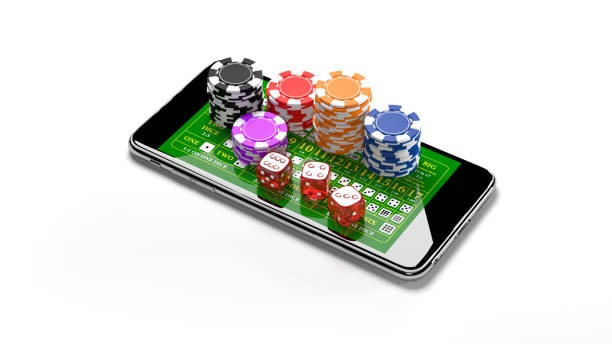
App vs. Browser: Strengths of Each
Our native Android APK on exso toto delivers faster load times, offline caching for game histories, and push notifications that arrive even when the app is closed. The APK also integrates with your device's biometric sensors, so you can unlock exso toto using your fingerprint or face recognition. Browser access on exso toto works instantly without installation and updates automatically; it's ideal if you want to avoid storage use or prefer not to enable unknown sources. The web app on exso toto online paymentdges both worlds—it installs to your home screen like an app but updates silently like a browser, and it works identically on Android and iOS. Choose the APK if you value speed and offline features; choose the browser or web app if you prioritize simplicity and cross-device consistency.
Device Compatibility
exso toto supports Android 7.0 and later, covering the vast majority of devices in circulation. On iOS, we support version 12.0 and later, which includes iPhone 5s and newer models. Our platform automatically detects your device's capabilities and adjusts graphics and animation intensity to maintain smooth performance. If your device runs an older OS, we recommend updating through your device settings or contacting our support team for guidance. exso toto's responsive design ensures that whether you're on a 5-inch phone or a 10-inch tablet, the interface adapts seamlessly.
Troubleshooting Common Installation Issues
If you encounter an "Unknown sources" warning on Android, navigate to Settings → Security and enable installation from unknown sources, then retry the APK. On iOS, if Safari blocks the web app installation, check that you're using a recent Safari version and that your device allows home screen shortcuts. Certificate trust errors occasionally occur on older Android devices; these resolve by updating your device's system certificates through Settings → Security. If exso toto fails to load after installation, clear your app cache (Android: Settings → Apps → exso toto → Storage → Clear Cache; iOS: offload and reinstall the web app). Network timeouts during registration typically indicate weak connectivity—try moving closer to your router or switching to a stronger signal. Our support team is available to assist with persistent issues.

Data, Permissions, and Account Security on exso toto
When you install exso toto, we request only the permissions necessary for core functionality: camera access for KYC photo verification, contacts for account recovery, and location services for jurisdiction compliance. exso toto encrypts all data in transit using TLS 1.2 or later, and your payment details are never stored on your device—they're tokenized and transmitted directly to our payment processor. Two-factor authentication is mandatory on exso toto after your first login; you'll receive a code via SMS or email each time you access from a new device. Your account on exso toto is protected by a strong password policy (minimum 12 characters, mixed case and numbers), and we recommend enabling biometric unlock for convenience without sacrificing security. If you suspect unauthorized access to exso toto, immediately reset your password through the login screen and contact our support team to review recent activity.
Payment Integration on exso toto Mobile
exso toto's mobile app integrates seamlessly with Indonesia's leading payment methods: e-wallet, mobile banking, local payment, online payment, e-wallet, and mobile banking, as well as direct bank transfers via local payment, online payment, e-wallet, and mobile banking. When you deposit on exso toto, the payment gateway detects your device and routes you to the appropriate payment app or bank portal, then returns you to exso toto once the transaction completes. Withdrawal requests on exso toto are processed to your linked account within standard verification windows; you can track status in real time through your account dashboard. Our mobile interface displays your current balance, pending withdrawals, and available cashback offers prominently, so you always know your account status on exso toto.